
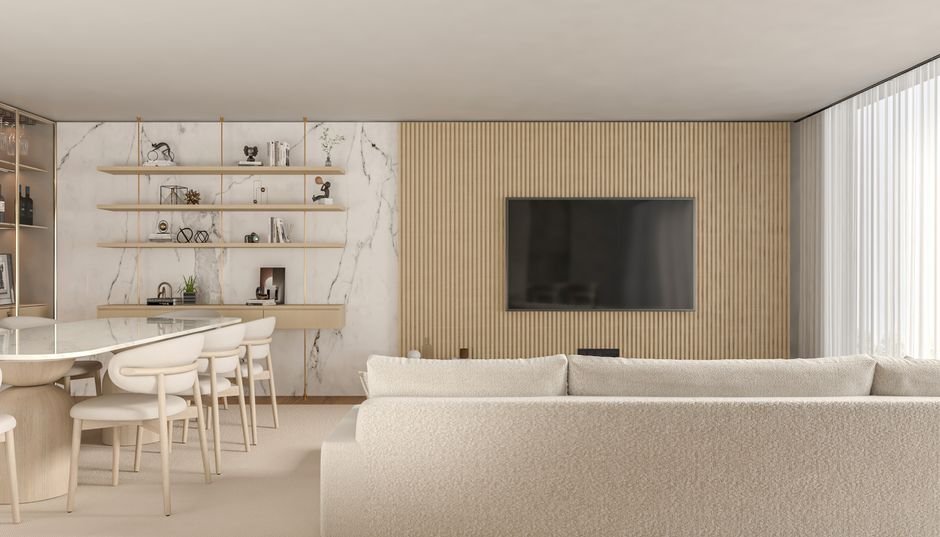
Sky changed its entire business model when it launched its integrated smart television, moving away from traditional satellite dishes toward pure internet delivery. If you are considering buying a Sky Glass TV today, you are essentially purchasing a 4K Quantum Dot screen, a built-in Dolby Atmos soundbar, and Sky’s custom streaming interface rolled into a single heavy package. But committing to a hardware-and-content contract requires a close look at how the set actually performs in a typical UK living room.
1. You are Buying the Hardware outright, Not Just Renting It
Unlike old Sky Q boxes that remained the broadcaster’s property and had to be returned when you cancelled your subscription, Sky Glass is different. When buying a Sky Glass TV, you own the physical screen. You can pay for the set upfront or break the cost down into interest-free monthly instalments over 24 or 48 months. Those monthly device payments are completely separate from your actual Sky Ultimate TV channel package.
This structure creates an interesting situation if you decide to cancel your television subscription later down the line. The hardware remains yours, sitting on your media unit. Without an active account, the TV reverts to a basic display. You can still plug in a games console, a streaming stick, or a Blu-ray player via the HDMI ports, and access free-to-air apps like BBC iPlayer or ITVX. However, you lose the integrated electronic programme guide, the unified search feature, and the seamless cloud-based playlisting system that makes the software unique.
2. Your Wi-Fi Network Needs Real Punch
Because there is no tuner for a terrestrial aerial or a satellite cable, every single pixel delivered to the panel comes through your home broadband connection. Sky officially recommends a minimum download speed of 25 Mbps for standard HD viewing on a single Glass set, rising to 30 Mbps if you opt for the Ultra HDR and Dolby Atmos add-on package. If you plan to add Sky Stream pucks to extra bedrooms, your bandwidth demands will scale quickly.
Raw speed is only half the battle. Stability matters far more than peak headline megabits. If your router sits in the hallway while your set lives in a back extension behind thick brick walls, you will face regular dropouts, stuttering live broadcasts, or reduced visual resolution. If you struggle with signal range, reading our guide on using Sky Stream without Sky Broadband covers essential home network fixes that apply directly to Glass hardware too. Where possible, plugging an Ethernet cable directly into the back of the set eliminates wireless dropouts entirely.
3. The Built-in Sound System Genuinely Replaces Cheap Soundbars
Television manufacturers usually make their flat-panel screens as thin as possible. Thin panels leave zero room for acoustic enclosures, resulting in tinny, muffled audio where dialogue gets lost during action scenes. Sky took the opposite approach with Glass. The chassis is thick, heavy, and deliberately blocky because it houses six integrated speakers, including a dedicated subwoofer and upward-firing drivers for Dolby Atmos sound.
For most households, this built-in enclosure completely eliminates the need to buy a separate budget soundbar. Dialogue comes through crisp and clear without needing subtitles, and atmospheric effects genuinely bounce off the ceiling during movies or live sports broadcasts. Audio enthusiasts with high-end dedicated AV receivers might still prefer their existing setups, but for average viewers wanting clutter-free living rooms without trailing wires, the audio performance is a massive selling point.
4. Live Sports Experience a Small Broadcast Delay
If you watch a lot of live football, cricket, or racing, you need to understand how streaming architecture works compared to old-school digital terrestrial signals. Satellite and cable transmissions send raw data signals directly to your dish or wall socket almost instantly. Internet streaming, by contrast, breaks the video feed into digital packets, sends them through various web nodes, buffers them in memory, and decodes them on your display.
This processing pipeline adds a short time delay. You might be watching a penalty shoot-out on your screen while hearing your neighbours scream or cheer up to 20 or 30 seconds ahead of your picture. Sky has rolled out low-latency latency fixes for select sports channels to shrink this gap, but streaming will always run slightly behind a traditional dish connection. It is a minor point for drama series, but a real factor for live sport fans who keep phone notifications turned on during big matches.
5. Weighing Up Sky Glass vs Sky Stream
Before making a final decision on buying a Sky Glass TV, ask yourself whether you actually want the entire physical display or just the software platform. Sky offers its exact same user interface, playlist features, and channel lineup via the small Sky Stream puck. You simply plug this compact device into any existing television via HDMI.
Comparing the two options closely reveals clear financial and practical trade-offs, as highlighted below:
- Display flexibility: With Sky Glass, you are locked into a specific panel technology (QLED) and set sizes (43, 55, or 65 inches). With Sky Stream, you can pair the software with a high-end OLED display from LG or Sony.
- Upgrading hardware: Replacing a standalone TV in five years is simple. Upgrading a integrated smart television means replacing your speaker system, screen, and streaming box all at once.
- Initial payout: A Sky Stream puck costs very little upfront, whereas buying a Sky Glass TV commits you to a larger hardware expense.
If you already own a fantastic 4K display, buying the standalone puck usually makes far more practical and financial sense. Reading our comparison on Sky Stream vs Virgin Stream can help you evaluate standalone streaming devices before committing to heavy hardware.
6. Wall Mounting Requires serious Planning
If you prefer mounting your screen onto a partition wall, pay close attention to the weight specifications. Because of the built-in speaker enclosures and sturdy metal frame, these sets are significantly heavier than typical modern displays. The 55-inch model weighs roughly 23 kilograms without its desktop stand, while the 65-inch version approaches 28 kilograms.
You cannot simply hang a display of this weight onto standard hollow plasterboard using basic fixings. You must anchor the bracket into solid timber studs or use heavy-duty masonry anchors on solid brick walls. Sky includes a custom wall-mount bracket inside the box, but taking time to check your wall construction beforehand prevents expensive structural accidents on installation day.
For more information, IPTV UK.