


- Amazon Fire TV Stick 4K: The Budget Favourite
- Performance and App Sideloading
- Apple TV 4K: The Premium Powerhouse
- Interface and Stability Perks
- Android TV and Google TV Boxes
- Flexibility and Storage Options
- Smart TV Built-In Apps vs External Hardware
- Making Your Final Choice for the Best IPTV Streaming Devices
Choosing the right hardware changes how your live television performs in your front room. Many UK households jump straight into a subscription without checking if their television or media player can actually handle heavy video streams. Finding the best IPTV streaming devices depends on your technical confidence, budget, and whether you prefer a clean interface or deep customisation options.
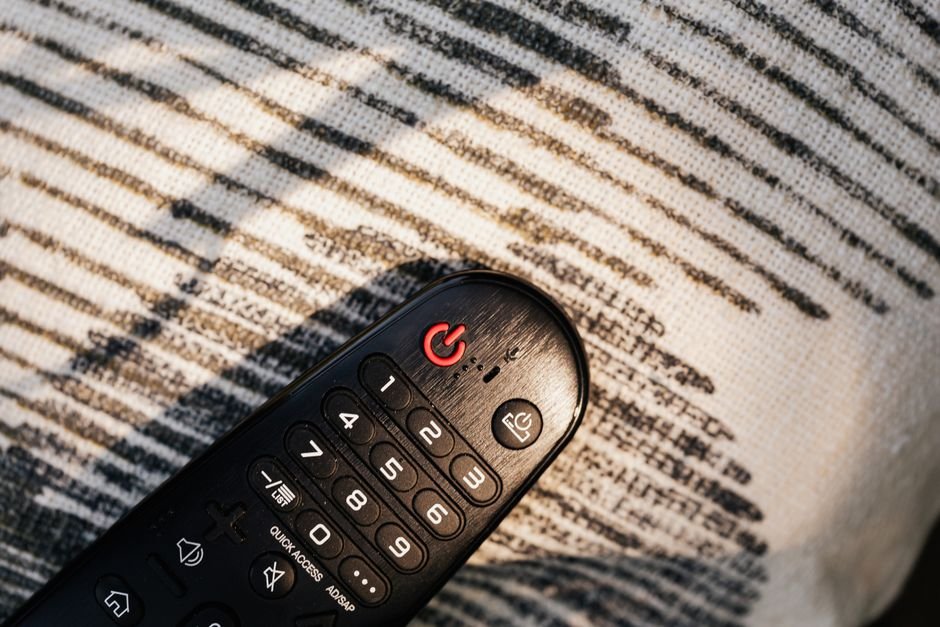
Hardware bottlenecks cause stuttering long before your internet provider does. Before blaming your broadband, you need to check how much internet speed do you need for IPTV to rule out simple bandwidth issues. Once your connection is solid, the device itself becomes the main factor determining playback quality.
Amazon Fire TV Stick 4K: The Budget Favourite
Millions of UK living rooms use Amazon hardware. It is cheap, compact, and hides neatly behind the television. The Fire TV Stick 4K handles high-definition feeds without breaking a sweat. It runs on a modified version of Android, meaning sideloading your preferred media player takes just a few minutes.
Storage space remains a common annoyance here. You get roughly 8GB of internal memory, but the operating system takes a large chunk of that. If you install multiple heavy applications, you will run low on space quickly. Still, for under fifty quid during a sale, it is hard to beat for raw value.
Performance and App Sideloading
Performance on the 4K Max model is snappy. Channel switching feels instant, and Electronic Program Guides load without lag. You will need to enable developer options to install third-party apps via the Downloader tool. It is a straightforward process once you know the steps.
Wi-Fi 6 support helps immensely if your router sits in another room. Older Fire Sticks often struggled with buffering on congested 2.4GHz bands. Upgrading to a 5GHz network or using an Ethernet adapter solves most wireless dropouts permanently.
Apple TV 4K: The Premium Powerhouse
Apple approaches television hardware with ruthless efficiency. The Apple TV 4K costs significantly more than a Fire Stick. That extra cash buys you the fastest processor in the streaming box market, zero annoying interface advertisements, and top-tier build quality.
TvOS handles memory management brilliantly. Applications rarely crash, and background refreshing keeps your streams ready the second you click them. If you use an iPhone or iPad, casting local files or mirroring screens takes a single tap.
Interface and Stability Perks
The remote control divides opinion. It is sleek, metal, and features a touch-enabled clickpad. Some people love it. Others find it too slippery. Thankfully, standard Bluetooth remotes pair easily if you prefer traditional buttons.
Stability is where this box shines. It rarely restarts itself or throttles performance during peak evening hours. If you want a set-and-forget solution that simply works for years, this is your hardware.
Android TV and Google TV Boxes
Dedicated boxes like the Chromecast with Google TV or Nvidia Shield sit in the middle ground. They offer full access to the Google Play Store. You do not need to mess around with sideloading APK files for standard applications.
The interface puts content recommendations front and centre. Some users love seeing shows pop up on their home screen. Others find the layout cluttered with promotional banners from services they do not subscribe to.
Flexibility and Storage Options
Storage is expandable on many Android boxes via USB ports. You can plug in a flash drive and store local media or extra cache data without worry. Audio passthrough support is also exceptional, making these boxes ideal if you have a home cinema setup with Dolby Atmos soundbars.
Processing power varies wildly across this category. Cheap no-name Android boxes from online marketplaces often use outdated software and lack proper security certifications. Stick to named brands to avoid headaches.
Smart TV Built-In Apps vs External Hardware
Using the apps built directly into your Samsung, LG, or Sony television sounds convenient. You avoid extra wires and spare HDMI ports. In reality, manufacturer software support often drops after two or three years.
Processor chips inside modern TVs are rarely built for heavy media streaming workloads. They prioritise screen panel quality instead. An external player keeps your setup modular. When streaming technology moves on, you replace a fifty-pound stick rather than a five-hundred-pound television.
Making Your Final Choice for the Best IPTV Streaming Devices
Picking among the best IPTV streaming devices comes down to your personal priorities. If you want cheap and cheerful access with easy app installation, grab an Amazon Fire TV Stick 4K. If you hate ads, value privacy, and want buttery-smooth performance, spend the extra money on an Apple TV.
Avoid cheap generic Android boxes sold on auction sites. Stick to trusted brands, ensure your Wi-Fi can handle the data load, and test your setup before committing to a long-term subscription plan.
For more information, IPTV UK.
Related reading
- What Internet Speed Do You Need for IPTV in the UK?
- Do not make unsupported claims such as “best”, “fastest”, “No.1” or guaranteed performance. Do not invent statistics, reviews, testing results, prices or facts.