


- Can you get Freeview on Apple TV?
- How do you watch live UK channels on Apple TV without an aerial?
- Is there an electronic programme guide (EPG) for Freeview on Apple TV?
- 1. The Apple TV Top Shelf feature
- 2. Third-party network tuners (HDHomeRun)
- Which third-party apps aggregate Freeview on Apple TV?
- Can you record live TV programmes on Apple TV?
- Do you need a TV Licence to watch live channels on Apple TV?
- What broadband speed is required for aerial-free UK streaming?
Can you get Freeview on Apple TV?
Most British living rooms have quietly abandoned roof aerials and satellite dishes over the last few years. Apple TV boxes run rings around built-in smart TV interfaces—they’re fast, snappy, and don’t lag. Plug one in, though, and you’ll hit an immediate snag: there’s no coaxial aerial socket anywhere on the box. So, can you actually get Freeview on Apple TV? Yes, absolutely—just don’t expect a single, neat Freeview app to handle it all.
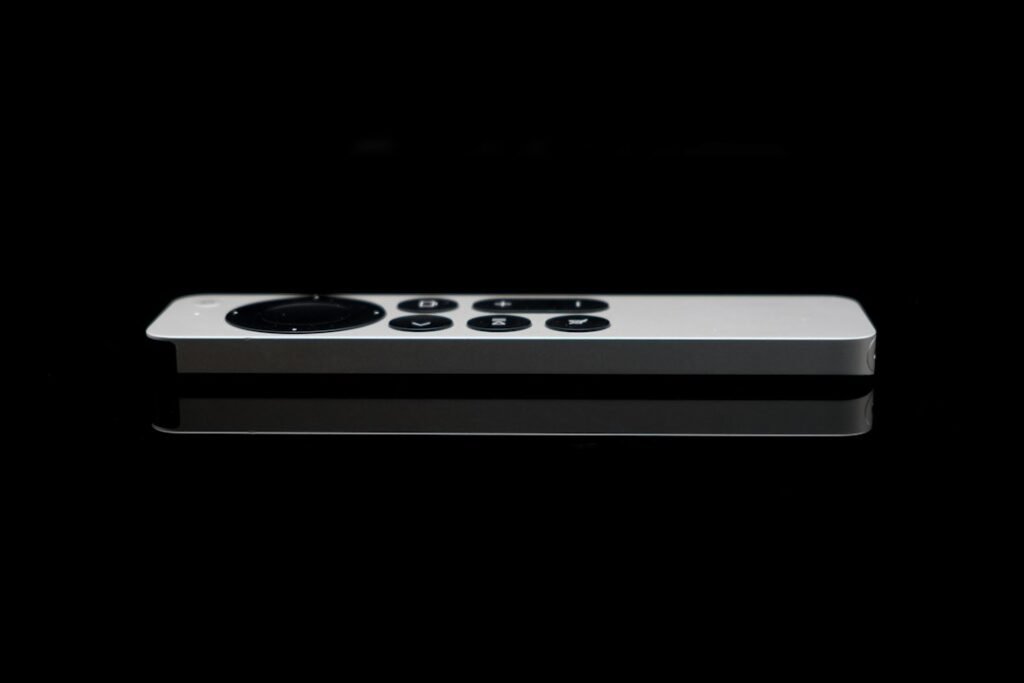
Unlike regular Smart TVs or Roku sticks, Apple’s tvOS App Store simply doesn’t have an official, all-in-one Freeview Play app. You can’t just launch one portal and flick through a unified guide for all terrestrial channels. That said, almost every major UK channel streams live anyway. You just have to grab the right apps and set them up properly.
How do you watch live UK channels on Apple TV without an aerial?
Without an aerial, your home broadband does all the heavy lifting. Each main UK broadcaster maintains its own separate app on tvOS. Download these catch-up services, and you unlock their live channel feeds alongside the usual on-demand boxsets.
If you want to pull together the standard terrestrial channel lineup, grab these apps from the store:
- BBC iPlayer: Live streams for BBC One, BBC Two, BBC Three, BBC Four, BBC News, CBBC, CBeebies, plus regional feeds.
- ITVX: Streams live ITV1, ITV2, ITV3, ITV4, ITVBe, and CITV shows.
- Channel 4: Includes live streams for Channel 4, E4, More4, Film4, and 47Seven.
- My5: Live access to Channel 5, 5USA, 5STAR, and 5SELECT.
- U (formerly UKTV Play): Catch-up and select live streams for Drama, Yesterday, Dave, and W.
Once installed, log into each with a free account. Head straight to the ‘Live’ or ‘On Now’ section in whichever app you’ve opened, and you’re good to go.
Is there an electronic programme guide (EPG) for Freeview on Apple TV?
Juggling standalone apps gets tedious fast because you lose the standard TV grid guide. On an aerial setup, hitting ‘Guide’ shows you what’s airing across every channel in one shot. On Apple TV, you’re stuck jumping between apps just to see what’s on elsewhere.
Still, you’ve got two workarounds if you really want a proper TV guide on your screen:
1. The Apple TV Top Shelf feature
Drag apps like BBC iPlayer or ITVX up to the top row of your home screen. When you highlight them, Apple TV shows live channels and current shows directly above the app icons. It isn’t a full grid guide, but it skips a few clicks.
2. Third-party network tuners (HDHomeRun)
If there’s an aerial on your roof, hook it up to a hardware network tuner like an HDHomeRun box and plug that into your Wi-Fi router. Apps like Channels or HDHomeRun’s own tvOS app can then beam raw terrestrial TV signals straight to your Apple box over local Wi-Fi. You get a full, real-time program guide for every channel without touching another broadcaster app.
Which third-party apps aggregate Freeview on Apple TV?
You might be wondering if some clever app can just grab all these free feeds and stick them in one place. Options do pop up on the App Store now and then, but licensing rights mean they tend to break or disappear pretty quickly.
TVPlayer used to be the go-to for this, but these days most of its features sit behind paywalls or suffer from stripped-back channel lists. Broadcasters hate third-party players embedding their streams, so they block them regularly. If you want a stream that actually works when you sit down to watch, the official BBC, ITV, and Channel 4 apps are still your safest bet.
If you’re tinkering with custom TV setups, reading up on how to get digital TV apps properly configured will save you a world of headaches down the line.
Can you record live TV programmes on Apple TV?
No, you can’t record live streams directly onto an Apple TV’s internal storage—Apple never built DVR features into the box. Mind you, given almost every show hits catch-up apps minutes after airing, recording live TV isn’t really something most people miss anyway.
If you insist on recording regional news or live sport, you’ll need a network tuner paired with a local storage drive or home server (NAS). Using tvOS apps like Channels DVR, the Apple TV acts purely as your display menu while a PC or home server handles the actual recording in the background.
Do you need a TV Licence to watch live channels on Apple TV?
Yes. The law cares about what you’re watching live, not what box is streaming it. If you watch any channel as it broadcasts—over aerial, cable, satellite, or an app stream on your Apple TV—you legally need a valid UK TV Licence.
BBC iPlayer is the main exception here: you need a licence for anything on it, live or catch-up. On the flip side, if you only use ITVX, Channel 4, or My5 for on-demand catch-up and never tune into live broadcasts anywhere, you won’t need one.
What broadband speed is required for aerial-free UK streaming?
Live streams push data non-stop, so a flaky internet connection will show up immediately in blurry feeds or constant buffering.
Aim for these baseline download speeds per device:
- Standard Definition (SD): 3 Mbps to 5 Mbps
- High Definition (HD – 1080p): 10 Mbps to 15 Mbps
- Ultra HD / 4K HDR: 25 Mbps to 30 Mbps
Remember that live sport on iPlayer or ITVX eats up far more bandwidth than standard catch-up movies. If you’ve got a busy house with several people online at once, a broadband package of 50 Mbps or higher keeps things smooth. Plugging an Ethernet cable directly into your Apple TV instead of relying on Wi-Fi will also dodge random signal drops.
For more information, IPTV UK.
Related reading
- Why Smart TV Apps Keep Crashing and How to Fix Them
- How to Get Free Channels Without Aerial on UK Smart TVs