
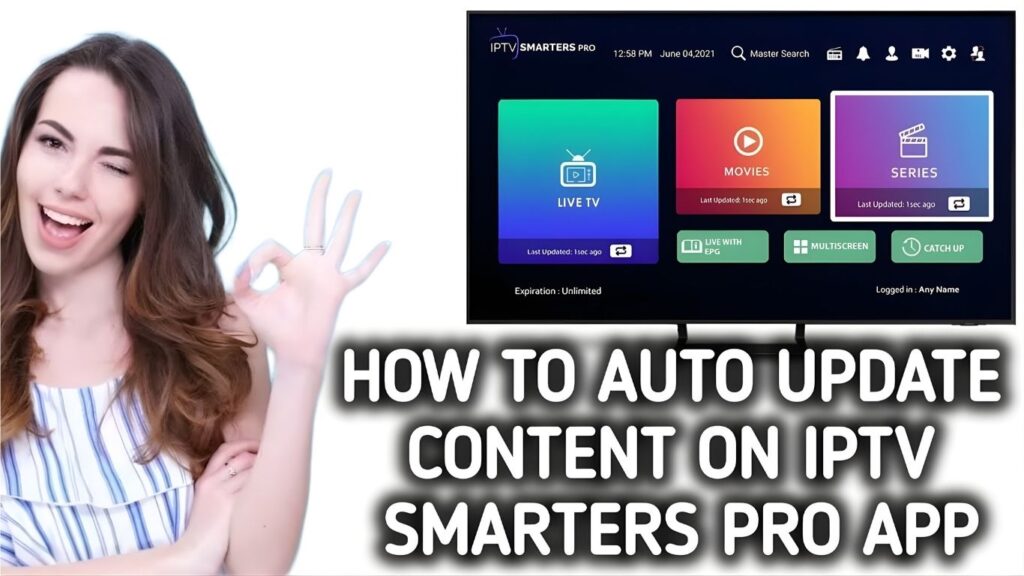
When you rely on IPTV every day for live TV, sports, movies, and series, nothing is more frustrating than when your app or channel list suddenly stops updating. The issue of “iptv not updating” has become one of the most common streaming problems in 2025, affecting Android boxes, Firesticks, Smart TVs, and even mobile devices.
The good news? Most update failures are easy to fix once you understand what’s causing them. This complete guide explains the latest reasons behind IPTV update issues and provides fast solutions that work for all apps and devices.
Why IPTV Fails to Update
Server-Side Update Issues
Sometimes the problem is not on your end. If your provider’s server is:
-
Under maintenance
-
Overloaded
-
Migrating to new servers
-
Updating channel lists
Then your IPTV app won’t sync updates.
App Cache or Data Corruption
Apps like IPTV Smarters, TiviMate, and XCIPTV store temporary files. These files eventually get corrupted and stop updates from loading.
Slow or Unstable Internet
A weak connection won’t allow:
-
EPG updates
-
Channel refresh
-
VOD library updates
Incorrect Playlist or Portal URL
If your IPTV portal address has changed, updates will fail instantly.
Signs Your IPTV Is Not Updating Properly
Missing Channels
Channels may disappear or remain stuck with old names.
EPG Not Loading
The TV guide may stop refreshing, show wrong times, or appear empty.
VOD Not Updating
Your Movies and Series library may stay outdated for days.
App Stuck on Loading Screen
This is a major symptom of “iptv not updating.”
Top Causes Behind IPTV Update Failures
DNS Issues
Wrong DNS settings can block channel and EPG updates.
Expired Subscription
If your provider disables your account, updates will stop.
Old App Version
Outdated apps often fail to refresh channels.
Device Storage Problems
If your device has very low storage, IPTV apps can’t save update data.
Step-by-Step Fixes for IPTV Not Updating
1. Restart the Device and App
A simple restart clears temporary errors.
2. Clear Cache & Reinstall the App
This works for almost every update problem.
Steps:
-
Uninstall the IPTV app
-
Restart device
-
Reinstall the app
-
Re-enter your portal or M3U URL
3. Check Portal or M3U URL
If the link changed, your IPTV will stop updating.
4. Update IPTV App Manually
Some apps don’t update automatically. Install the latest version from:
-
Official website
-
Trusted app store
5. Check Server Status
If the server is down, updates won’t load until the provider fixes it.
6. Refresh EPG & Channel List
Most IPTV apps have manual refresh options.
Advanced Fixes for EPG Not Updating
Custom EPG URL
You may need to enter a custom XML EPG link from your IPTV UK provider.
XML Format Issues
Corrupt EPG files cause missing guide data.
EPG Time Zone Settings
Wrong time settings lead to incorrect guide updates.
Device-Specific IPTV Update Fixes
Firestick
-
Clear cache
-
Turn off data monitoring
-
Update apps via Downloader
Android TV Box
-
Clear app data
-
Update firmware
-
Free up storage
Smart TVs
-
Update system software
-
Reinstall the IPTV app
Smartphones
-
Turn off battery optimization
-
Refresh DNS
Internet & WiFi Problems That Stop IPTV Updates
Weak WiFi Signal
Low signal prevents EPG and channel refresh.
ISP Blocking
Some providers block IPTV servers.
Router Restrictions
Firewalls or parental controls can block updates.
App-Level Update Problems
TiviMate
-
Missing EPG? Re-add XML URL.
-
Channels not refreshing? Clear data and resync.
IPTV Smarters
-
Update app to newest version.
-
Remove old playlists.
XCIPTV
-
Turn off “Use Player Cache.”
-
Refresh M3U playlist.
How to Fix IPTV Portal Not Updating
Portal Expired
Ask your provider to reactivate or renew.
Link Changed By Provider
Providers often change portals for security reasons.
DNS Refresh Needed
Switch to Google DNS:
8.8.8.8
8.8.4.4
Using a VPN to Fix IPTV Updating Issues
Bypass Throttling
ISPs often slow down IPTV traffic.
Fix Region-Locked Channels
Some channels only update in certain regions.
Improve Server Sync
VPNs stabilize routing to IPTV servers.
When to Contact Your IPTV Provider
Server Down
If the update server is offline, only the provider can fix it.
Playlist Disabled
Your playlist may have been removed.
Provider Maintenance
Scheduled maintenance stops updates temporarily.
FAQs
1. Why is my IPTV not updating?
Because of server issues, bad WiFi, outdated apps, or incorrect portal links.
2. How often should IPTV update?
Most providers refresh channels and EPG every 12–24 hours.
3. Does reinstalling IPTV apps fix update problems?
Yes — it’s one of the fastest solutions.
4. Why is my EPG empty?
Your XML link may be broken or outdated.
5. Why does IPTV work but channels don’t update?
Your playlist link may have expired.
6. Does a VPN help with IPTV updating?
Yes. It stops ISP blocking and improves update syncing.
Conclusion
If your iptv not updating, don’t worry — this is a very common issue. In most cases, the problem comes from corrupted app data, weak WiFi, outdated apps, or playlist changes made by your IPTV provider. By following the steps in this guide, you can fix the problem quickly and get your IPTV channels, EPG, and VOD library updating properly again.