
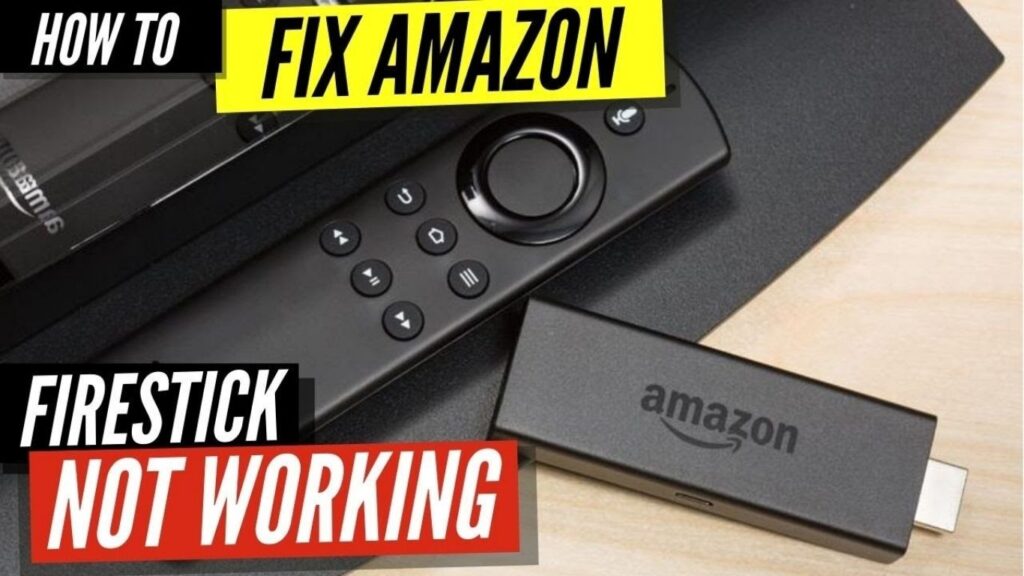
introduction:
Discover why IPTV is not working on your Firestick in the UK and learn expert fixes for buffering, app crashes, black screens, blocked streams, and slow loading. Updated for 2025.
Understanding Why IPTV Stops Working on a Firestick in the UK
If you’re here because IPTV not working in UK Fire TV Stick, you’re far from alone. Thousands of UK users experience issues every day — apps crashing, channels freezing, links refusing to load, or entire playlists going offline without warning. The Amazon Firestick is an incredibly popular streaming device, but unlike licensed apps such as Netflix or Sky Go, many third-party IPTV apps depend heavily on servers, internet stability, regional rules, and app compatibility.
In this complete guide, we break down every major reason why IPTV stops working in the UK — and how you can fix it quickly, safely, and legally.
Is IPTV Legal in the UK? (Important Before You Fix Anything)
Before troubleshooting, you need to understand the legal side.
✔ Legal IPTV
Legal services include:
-
Netflix
-
NOW TV
-
Amazon Prime Video
-
Disney+
-
ITVX
These are fully supported on Firestick.
❌ Unlicensed IPTV
These are third-party apps offering:
-
Sky Sports
-
BT/TNT Sports
-
PPV Boxing
-
Movies still in cinemas
-
Thousands of channels for £5–£10
Illegal IPTV services break UK copyright law, which means they can:
-
Be blocked
-
Be shut down suddenly
-
Stop loading channels
-
Lose servers
-
Be removed by Amazon
So, one major reason IPTV not working in UK Firestick may be because the service itself has been taken offline.
Common Reasons IPTV Stops Working on a Firestick in the UK
Below are the REAL reasons why your IPTV may not load, buffer, crash, or freeze on Firestick in the UK.
1. The IPTV Provider Has Been Blocked or Shut Down
The UK is one of the most active countries for anti-piracy action.
If your IPTV service suddenly stopped working:
-
No channels load
-
App loads but nothing plays
-
Playlist disappears
-
Links buffer forever
…it is often because the provider has been taken down.
This is especially common during:
-
Premier League matches
-
Boxing PPV events
-
NFL and UCL weekends
UK ISPs sometimes block illegal streaming servers temporarily or permanently.
2. Firestick Software Update Broke the App
Amazon updates Firestick OS frequently.
These updates often break older or unmaintained IPTV apps such as:
-
Smart IPTV
-
XCIPTV
-
IPTV Smarters old versions
-
GSE Smart IPTV (no longer updated)
After an update, you may notice:
-
White screen
-
App closing immediately
-
App stuck on loading
This is common and usually fixable.
3. ISP Blocking (Sky, BT, Virgin, TalkTalk)
Many UK broadband providers actively block IPTV traffic, especially during:
-
Football
-
Boxing
-
Major sporting weekends
You may see:
-
Channel stuck on “Loading…”
-
Black screen
-
App timeout
-
Playlist not loading
ISP blocking is one of the top reasons iptv not working in UK Firestick.
4. Cache and Storage Problems on the Firestick
A Firestick with low storage becomes slow and unstable.
Symptoms include:
-
IPTV apps crashing
-
Slow loading
-
Buffering
-
Black screen
Most Firesticks only have 8 GB of storage, and after a few downloads, they run out quickly.
5. Slow or Unstable WiFi
IPTV needs consistent internet.
Even a small drop in speed causes buffering.
Minimum speeds:
-
10 Mbps for SD
-
20 Mbps for HD
-
40 Mbps for Full HD
-
50+ Mbps for 4K
If your WiFi is weak or crowded, your Firestick will struggle.
6. Wrong Media Player Installed
Many IPTV apps require external players like:
-
VLC
-
MX Player
-
Wuffy Player
If the default player is broken, the stream will not open.
7. Wrong M3U Link, Expired Playlist, or Username/Password Error
M3U links often expire or get replaced.
If your:
-
Channels don’t load
-
Playlist loads empty
-
App says “invalid link”
…it means your provider updated your login or disabled your old link.
How to Fix IPTV Not Working on UK Firestick (2025 Expert Guide)
Below are the real fixes that work for UK Firestick users.
1. Restart Firestick and Router
This fixes more problems than people realize.
Steps:
-
Unplug your router for 30 seconds
-
Reboot your Firestick
-
Open your IPTV app again
This refreshes your connection and clears temporary blocks.
2. Check If the IPTV Provider Is Down
If every device in your home is having issues, the provider may be offline.
Check for signs:
-
Website not loading
-
Social media pages silent
-
Thousands reporting issues
-
Playlist completely empty
In these cases, the problem is NOT your Firestick.
3. Use a VPN (But Only for Legal Safety)
A VPN can bypass ISP blocking that stops IPTV from loading.
It helps with:
-
Blocking
-
Geo-filters
-
Slow speeds
-
Buffering
⚠️ Important:
Using a VPN does NOT make illegal IPTV legal. It only prevents ISP interference.
4. Clear Firestick Cache and Free Storage
Clear cache:
-
Settings → Applications
-
Manage Installed Apps
-
Choose your IPTV app
-
“Clear Cache”
Free storage:
-
Delete unused apps
-
Remove old APKs
-
Turn off automatic screenshots
-
Clear app data
This speeds up apps instantly.
5. Update or Reinstall Your IPTV App
If your app is old, download the latest version.
Old versions stop working after Firestick updates.
6. Try a Different Media Player
Switching the player fixes:
-
Black screen
-
Audio with no video
-
Streams not starting
Most apps allow you to select:
-
VLC
-
MX Player
-
ExoPlayer
7. Update Firestick Software
-
Settings
-
My Fire TV
-
About
-
Check for Update
A newer update often fixes app compatibility issues.
When IPTV Will Not Work No Matter What You Do
Some users try every fix, but IPTV still refuses to work.
This happens when:
-
The IPTV service has been permanently shut down
-
The server is overloaded
-
ISP has blocked the provider
-
The app is abandoned
-
M3U link is dead
In these cases, the only solution is switching to a stable and legal streaming option.
Frequently Asked Questions
1. Why is IPTV suddenly not working on my Firestick in the UK?
Because your provider may be blocked, shut down, or your Firestick updated and broke the app.
2. Does the UK block IPTV?
Yes. ISPs like Sky, BT, and Virgin frequently block unlicensed streams.
3. Can I fix IPTV buffering on Firestick?
Yes — clear cache, restart Firestick, switch players, or use a stronger WiFi connection.
4. Does a VPN help IPTV on Firestick?
It can bypass ISP blocking, but it does not make illegal IPTV legal.
5. Why is my M3U playlist not working?
It may be expired, changed by your provider, or incorrectly entered.
6. Can Amazon block IPTV apps?
Yes, Amazon regularly removes unlicensed IPTV apps from Firestick.
Conclusion
The problem of iptv not working in UK Firestick usually comes down to one of a few causes — ISP blocking, Firestick updates, expired M3U playlists, storage issues, or the IPTV provider going offline. With the right steps, many issues can be fixed in minutes, but some problems (like provider shutdowns) are completely out of your control.
If you want the most stable experience, always use licensed IPTV services and keep your Firestick updated, fast, and well-maintained.