


- Which Streaming Device Should You Buy in the UK?
- Which is better for UK TV apps: Roku, Fire Stick, or Apple TV?
- Do I really need a 4K streaming device if my TV is only 1080p Full HD?
- How much broadband speed do I need for smooth 4K streaming?
- What is the best streaming device UK sports fans can buy?
- Apple TV 4K
- Amazon Fire TV Stick 4K Max
- Can I use a streaming stick on an older TV without HDMI?
- Is there a streaming device that offers free live UK TV without an aerial?
- Freely
- Individual App Live Streams
- What is the difference between Google TV and Fire TV?
- How do I stop my streaming stick from buffering on Wi-Fi?
- Which streaming device offers the best voice control?
- Amazon Alexa (Fire TV)
- Siri (Apple TV 4K)
- Google Assistant (Google TV)
- Are cheap non-brand Android TV boxes from online marketplaces safe?
- How long do streaming sticks usually last before needing replacement?
Which Streaming Device Should You Buy in the UK?
Choosing the best streaming device UK living rooms actually need has become surprisingly tricky. Smart TVs come with built-in apps, but many interface menus drag, freeze, or lose app support after just a couple of years. Dedicated streaming plugs and boxes offer a much smoother experience, but the market is crowded.
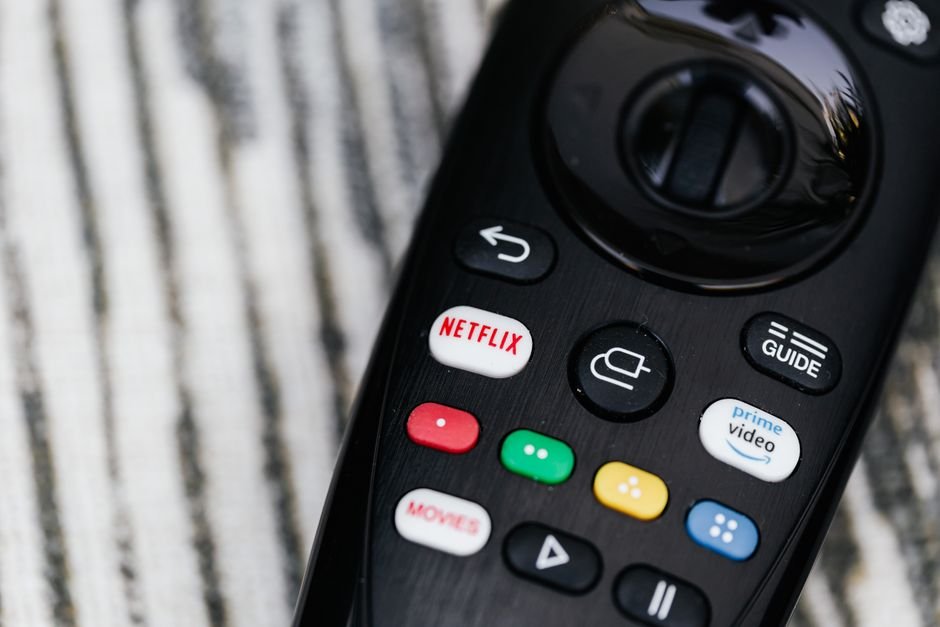
Should you buy an Amazon Fire TV Stick, a Roku express model, an Apple TV 4K, or a Google TV dongle? In this guide, we answer the most common practical questions UK buyers ask when upgrading their home setup.
Which is better for UK TV apps: Roku, Fire Stick, or Apple TV?
For standard UK terrestrial catch-up apps, all three major platforms cover the basics well. You will find BBC iPlayer, ITVX, Channel 4, and My5 across Amazon Fire TV, Roku, and Apple TV devices without issues.
However, subtle differences in software design and regional support matter depending on what else you watch. Roku uses an exceptionally plain, grid-like home screen that loads quickly and stays free of aggressive video ads. It highlights content equally across services, making it brilliant for non-tech-savvy users who just want to open BBC iPlayer or Netflix without hassle.
Amazon Fire TV devices lean heavily into Prime Video recommendations. The interface feels busy, full of sponsored banners and preview trailers. On the flip side, Fire OS supports almost every obscure niche app or media player on the market.
Apple TV 4K offers the cleanest, fastest user experience by a wide margin. Its powerful processor eliminates navigation lag completely, and the tvOS App Store boasts top-tier app stability. If you want to dive deeper into hardware comparisons, check out our full guide to IPTV streaming devices for UK viewers.
Do I really need a 4K streaming device if my TV is only 1080p Full HD?
Yes, buying a 4K player is almost always the smarter move, even if your current telly tops out at HD resolution.
The main reason isn’t the screen resolution itself; it is the internal processor and memory. HD-only streaming sticks are built as budget budget-tier products. Manufacturers fit them with slower chips and minimal RAM to keep prices down. Within 18 to 24 months, system updates often render these cheap sticks frustratingly slow.
4K streaming sticks usually cost only £10 to £15 more than their HD equivalents. For that small extra outlay, you get significantly faster Wi-Fi chips, beefier processors, and longer software support life. When you eventually upgrade your television set to a 4K panel, the device will be ready to display high dynamic range content instantly.
How much broadband speed do I need for smooth 4K streaming?
Broadband speed requirements vary depending on the video quality you choose and how many people share your home network.
- HD Streaming (1080p): Requires a stable connection of at least 5 Mbps to 10 Mbps.
- 4K Ultra HD Streaming: Requires a minimum constant speed of 25 Mbps per stream.
- Live HD Sports: Benefits from 30 Mbps or higher to maintain 50fps high-frame-rate feeds without buffering.
Keep in mind that household Wi-Fi traffic creates bottlenecks. If one person streams live sport in 4K while someone else downloads a large video game update, a basic 30 Mbps package will struggle. A standard 65 Mbps fibre connection provides comfortably adequate overhead for most modern UK households. For a detailed breakdown of bandwidth usage, read our guide on what broadband speed you need for streaming in the UK.
What is the best streaming device UK sports fans can buy?
Sports streaming puts higher demands on hardware than movies or standard catch-up TV. Live sports rely on continuous high-bitrate video feeds, ideally served at 50 frames per second (fps) rather than the 25fps or 24fps used for drama.
Apple TV 4K
The Apple TV 4K is widely considered the gold standard for sports streaming. Its high-performance chip handles framerate matching effortlessly. This feature forces your television display to match the exact broadcast frame rate of apps like Sky Go, NOW, TNT Sports, or Eurosport, eliminating judder during fast ball movement.
Amazon Fire TV Stick 4K Max
For a middle-ground budget, the Amazon Fire TV Stick 4K Max performs remarkably well. It features Wi-Fi 6 support, which cuts down latency if you own a compatible Wi-Fi 6 home router. Live event apps load rapidly, and motion handling remains smooth.
Can I use a streaming stick on an older TV without HDMI?
If your television lacks HDMI ports and only relies on older SCART or RCA connections, modern streaming devices will not plug in directly. Every current player from Roku, Amazon, Google, and Apple outputs strictly via HDMI.
You can solve this using an active HDMI-to-SCART or HDMI-to-AV converter box, readily available online for under £15. These powered converters take the digital signal from the streaming stick and convert it into an analogue signal for older screens.
However, picture quality will be constrained by the older display, and text inside modern app menus can look small or blurry. In most scenarios, replacing an ancient set with an affordable modern HD display makes more financial sense.
Is there a streaming device that offers free live UK TV without an aerial?
Yes. You no longer need a physical roof aerial or satellite dish wired into your home to watch live digital television in the UK.
Freely
Freely is a new free-to-air streaming standard backed by Everyone TV (the organisation owned by the BBC, ITV, Channel 4, and Channel 5). It delivers live UK television directly over your broadband connection, complete with a traditional electronic programme guide. Currently, Freely comes built directly into select modern Smart TVs rather than standalone HDMI sticks.
Individual App Live Streams
If you use an existing streaming stick, you can watch live TV for free through official apps:
- BBC iPlayer: Live streams for BBC One, Two, Three, Four, News, and CBBC.
- ITVX: Live streams for ITV1, ITV2, ITV3, ITV4, and ITVBe.
- Channel 4 App: Live streams for Channel 4, E4, More4, and Film4.
- My5: Live feeds for Channel 5, 5USA, and 5Star.
- Pluto TV / Samsung TV Plus: Free ad-supported streaming channels covering classic series, news, and movies.
Remember that watching any live TV broadcast as it happens over the internet legally requires a valid UK TV Licence.
What is the difference between Google TV and Fire TV?
Both Google TV and Amazon Fire TV run on adapted versions of the Android operating system, but their philosophy and presentation differ significantly.
Google TV (found on Chromecast with Google TV and modern Sony or Philips sets) organizes its interface around your personal viewing history across multiple services. It aggregates recommendations from Disney+, Netflix, BBC iPlayer, and Prime Video into a unified home tab. The interface feels clean and balanced.
Amazon Fire TV uses a heavier layout focused on Amazon’s ecosystem. Prime Video, Freevee, and Amazon digital rentals take center stage. While Fire TV allows deep app customization and supports side-loading software easily, it carries noticeably more promotional advertising across its main menu.
How do I stop my streaming stick from buffering on Wi-Fi?
Buffer wheels usually indicate local Wi-Fi interference rather than an issue with your broadband supply.
<ol
Which streaming device offers the best voice control?
Voice remotes make searching for specific actors, genres, or movie titles much quicker than typing letter-by-letter on an on-screen keyboard.
Amazon Alexa (Fire TV)
Alexa on Fire TV is excellent at handling conversational queries. Saying “Alexa, find comedies with Simon Pegg” brings up instant matching results from multiple installed apps. You can also control smart lights or check smart doorbells right from your screen.
Siri (Apple TV 4K)
Siri on Apple TV excels at accurate dictation and quick media transport controls. Asking “What did he say?” automatically skips the video back 10 seconds and temporarily enables subtitles, a exceptionally clever touch for dialog-heavy drama.
Google Assistant (Google TV)
Google Assistant holds the vastest search database. It understands complex multi-part queries like “Show me action movies from the 1990s on Netflix” with high accuracy.
Are cheap non-brand Android TV boxes from online marketplaces safe?
No. Unbranded TV boxes sold on internet marketplaces running generic Android (often mobile phone software adapted for screens) pose serious privacy and security risks.
Cybersecurity researchers frequently discover pre-installed malware, hidden keyloggers, and ad-fraud bots baked into the firmware of cheap non-certified Android boxes. Because these budget devices lack official Google Play Protect certification, they do not receive routine security patches.
Furthermore, non-certified devices lack Widevine L1 DRM hardware certification. Without this certification, official apps like Netflix, Prime Video, and BBC iPlayer will refuse to stream in HD or 4K, capping video playback at low-quality 480p resolution.
Stick exclusively to certified platforms from reputable brands like Amazon, Roku, Google, Apple, or official TV manufacturers.
How long do streaming sticks usually last before needing replacement?
A well-made streaming device typically operates smoothly for 3 to 5 years. Over time, expanding app sizes and system updates place higher demands on the processor and storage memory.
Signs that your device needs replacing include app crashes during launch, sluggish remote responses, or loss of app update support from major UK broadcasters. Upgrading every few years ensures you maintain fast loading times and access to modern audio-visual formats like Dolby Vision HDR and Dolby Atmos sound.
For more information, IPTV UK.
Related reading
- How to Set Up Firestick Live TV in the UK: Step-by-Step Guide
- 8 Smart TV Apps Every UK Household Should Install in 2026